Guided custom queries
Select stored fields one by one, add compatible calculations and typed conditions, then validate a fresh bounded sample.
ModApps Dashboard Studio turns saved Odoo data into permission-aware operational dashboards. Designers choose validated fields and calculations; viewers see only records their existing Odoo access allows.

Start from a compatible template or build a structured custom query without writing SQL, Python or JavaScript.
Select stored fields one by one, add compatible calculations and typed conditions, then validate a fresh bounded sample.
KPI, gauge, bar, stacked bar, line, area, pie, donut, funnel, pivot and record-list presentations.
Move and resize cards directly on the dashboard, edit a widget in context and keep a deterministic mobile order.
Explain a number, inspect its filters and permitted-record count, then open only the source records the viewer may read.
Export interactively or schedule PDF/XLSX delivery to internal users under an explicit permission-scoped execution identity.
Share validated dashboards with selected users or groups without granting any new access to underlying Odoo records.

These screens show Dashboard Studio running with real Odoo records, filters, charts and record lists.
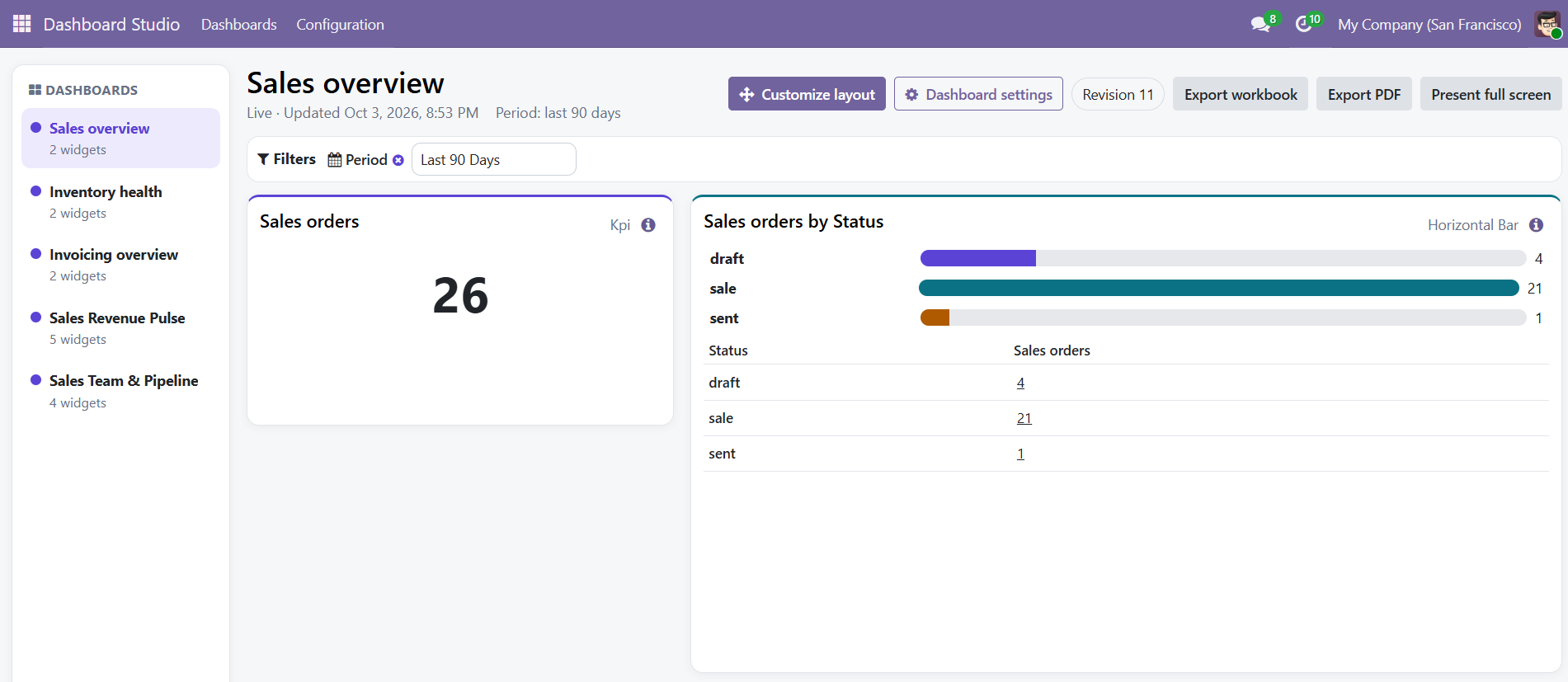
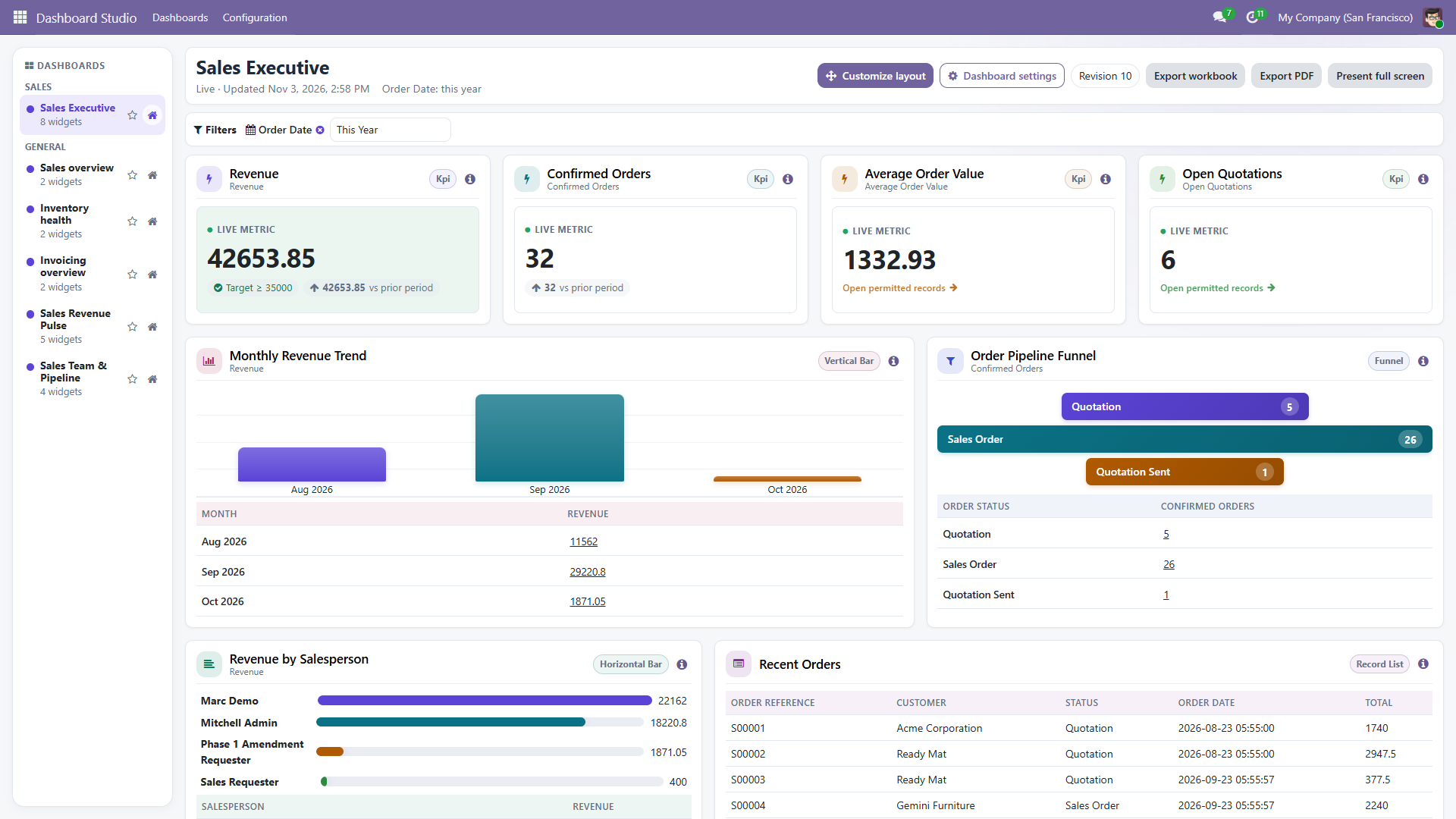
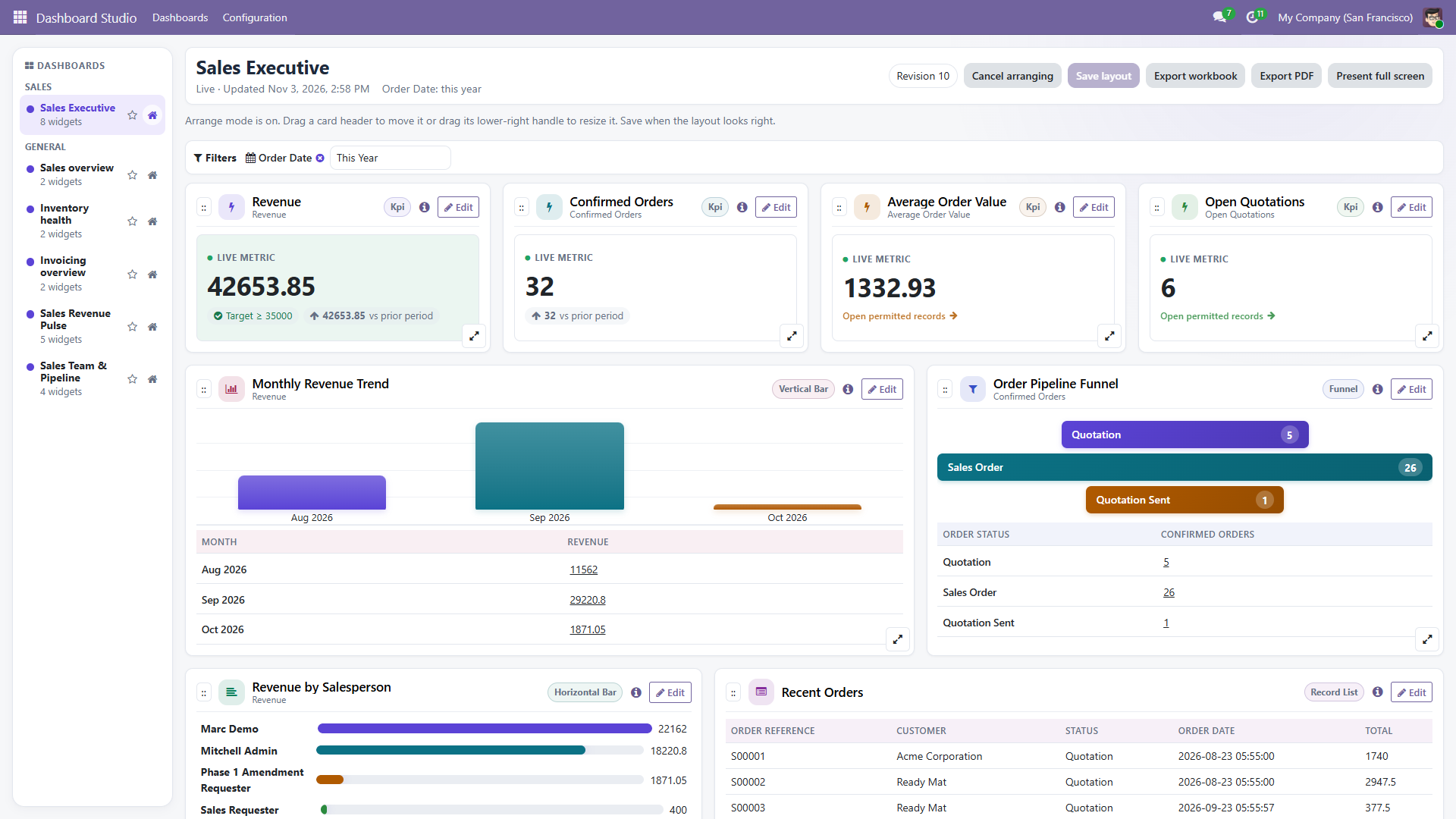
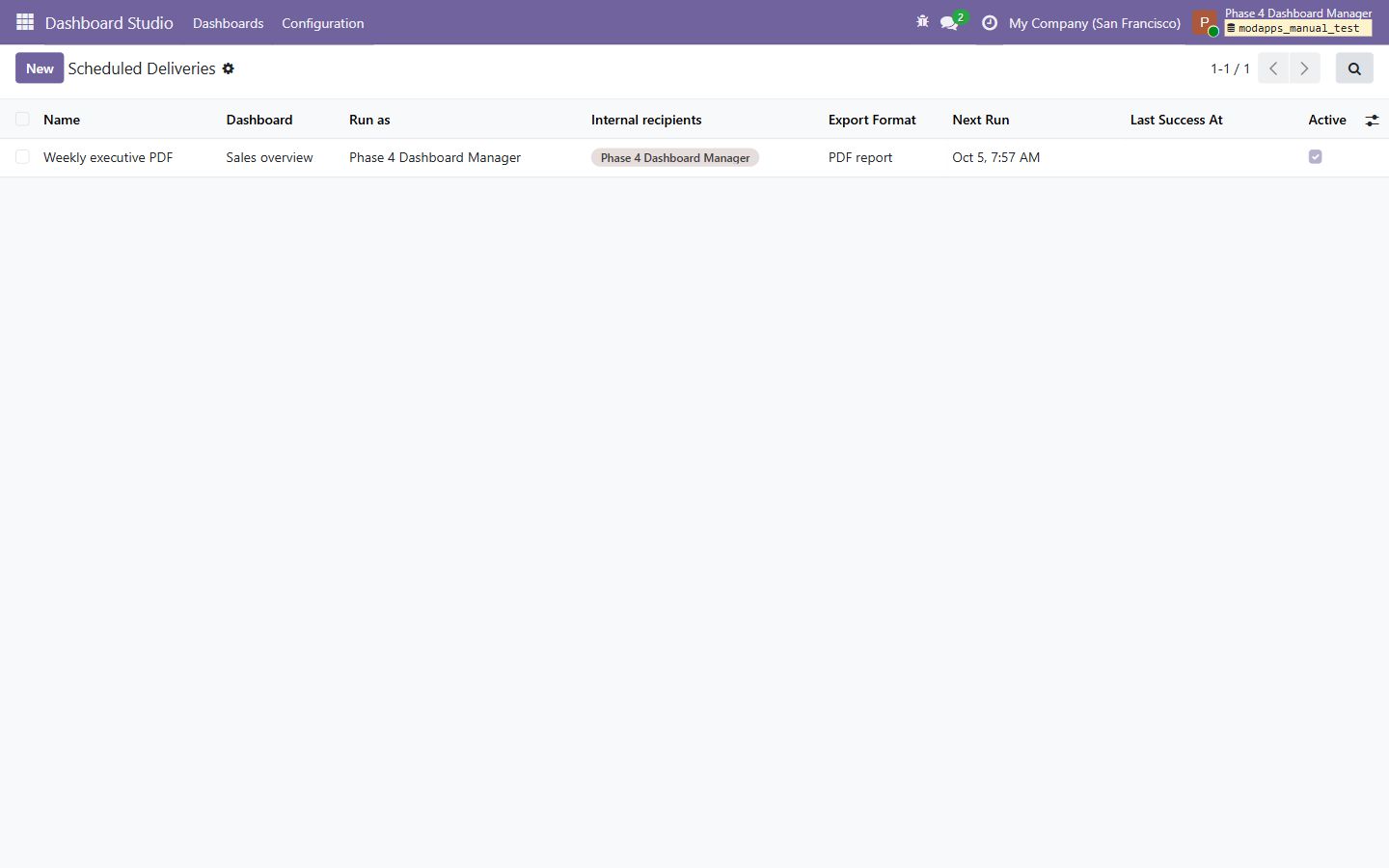
Business data is queried under the current viewer's Odoo environment. ACLs, record rules, field groups, allowed companies, language and timezone remain in force for results, drill-through, previews and exports.

| Area | Supported |
|---|---|
| Odoo | Versions 16, 17, 18, 19 and 20, Community and Enterprise |
| Hosting | Odoo.sh and self-hosted installations that allow custom add-ons |
| Required Odoo apps | Base, Web and Mail; optional templates appear only for apps already installed |
| Python dependencies | xlsxwriter for XLSX exports and reportlab for scheduled PDFs |
| Not included | External data warehouses, write-back actions, public or portal delivery, arbitrary email recipients, external report storage, AI forecasting or arbitrary code execution |
Use the online reference for installation, roles, custom queries, widgets, filters, layout editing, validation, sharing, interactive and scheduled exports, and troubleshooting. A printable illustrated guide is also available.